deviant art

Deviant Login Shop  Join deviantART for FREE Take the Tour
[x]
more ▶

More from ~GuthrieArtwork

Featured in Groups:

Details

August 17, 2011
836 KB
2000×1460
Link
Thumb

Statistics

Comments: 14
Favourites: 100 [who?]

Views: 2,937 (1 today)
[x]
:iconguthrieartwork:
:icondonotuseplz::iconmyartplz:

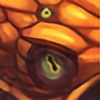
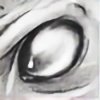
Here's the process, hope this helps anyone looking to know how I go about my drawings. I don't often stick to the same way though and will also start with colors instead of grey scale.

Final Picture: [link]

© 2011 B.R.Guthrie
Add a Comment:
 
:iconerackto:
~Erackto Dec 15, 2011  Hobbyist General Artist
Thank you for doin ithis step by step stuff. it's very enlightening!
Reply
:iconmacgwyver:
~MacGwyver Oct 17, 2011   Digital Artist
Always great to see an artist's process. Very generous in your willingness to share. Nicely done :)
Reply
:icongeometric-harmartia:
~geometric-harmartia Aug 20, 2011  Hobbyist General Artist
May I ask what version of Photoshop you use? That is, if you even use Photoshop, but I am assuming you are based on all your references to blending modes and such. And, if so, what version would you recommend? I currently use Photoshop CS4, but it's not the best I've used, and I've been told that earlier versions are better for painting...but I thought I might ask a professional?
Reply
:iconguthrieartwork:
~GuthrieArtwork Aug 23, 2011   Digital Artist
I'm not sure I'll be of too much help I haven't updated my Photoshop for several years so I am still working back and forth between Photoshop Elements 4.0 and Photoshop CS 8.0 I have yet to experiment with newer versions of photoshop so I'd recommend trying to ask a few other artists as well. I believe you can download a free trial version so you might want to try that and see what you think. I also know quite a few artists like to use a program called Painter which is good for simulating traditional media so you could also research that if photoshop isn't working for you.
Reply
:icongeometric-harmartia:
~geometric-harmartia Aug 25, 2011  Hobbyist General Artist
Hmm, I have heard of Painter, but I never took the liberty to look into further. Although, personally, I do rather like the traditional look to some digital paintings I see around here, so I might check it out. Thank you for replying to my comment at all! I'm glad to hear that you do use more modern versions of PS, and it clearly doesn't slow you down. I needed the help, and I will ask other artists, but this was very helpful actually xD So, thank you again!
Reply
:iconglacierdragon:
~GlacierDragon Aug 18, 2011  Hobbyist Digital Artist
It's always interesting to see the artistic approach behind a piece, thanks for sharing :la:

If I may ask, what are the advantages/disadvantages of painting something in greyscale, as opposed to painting something in colour? I tend to use the latter method myself...I usually use the dodge/burn tools when working on creatures and characters, but with landscapes and scenery I find a more painterly method is better.
I should really try out greyscale painting for myself, haha.
Reply
:iconguthrieartwork:
~GuthrieArtwork Aug 18, 2011   Digital Artist
In general, in greyscale it's easier to make sure the values and forms come across correctly since you aren't also concerned with things like hue, saturation, and temperature. The downside of greyscale is it takes a lot of finessing with layer overylays if you're trying to achieve rich colors without hiding the greyscale or making the greyscale shadows too dark. In order to avoid having to repaint things I try to switch from greyscale to color before applying beginning to detail so that I can paint in my details with color. For me personally I worked in pen and pencil for a long time before ever touching color so it's still easiest for my brain to work with greyscale especially for drawing objects I'm less familiar with. I'm practicing more with going directly to color though and a few of my pictures have been directly to color, the Karnicore, for example.
Reply
:iconglacierdragon:
~GlacierDragon Nov 25, 2011  Hobbyist Digital Artist
Epic late reply is epic and late XC
Awesome, thanks for the info :D I've been messing about with grescale painting, particularly with landscape speedpainting, and it really is great for working out shading and lighting...it seems especially effective for painting metals and the like, however I am having trouble with applying rich and complex ranges of colours because I'm a tard and I'm too lazy to experiment.
Although thanks to your advice I now know how to create realistic-looking metal surfaces, so thanks again XD
Reply
:iconguthrieartwork:
~GuthrieArtwork Nov 29, 2011   Digital Artist
I'm Glad that technique has been working for you :) I think "Color" or "Linear Burn" usually work best for bright colors.
Reply
:iconschyara:
Thank you, this is really helpful. :)
Could you tell me the blend modes you used for the layers?
Do you tint the shadow or just use a base color? Or both?

Thank you again~
Reply
Add a Comment: